
Cat Walk
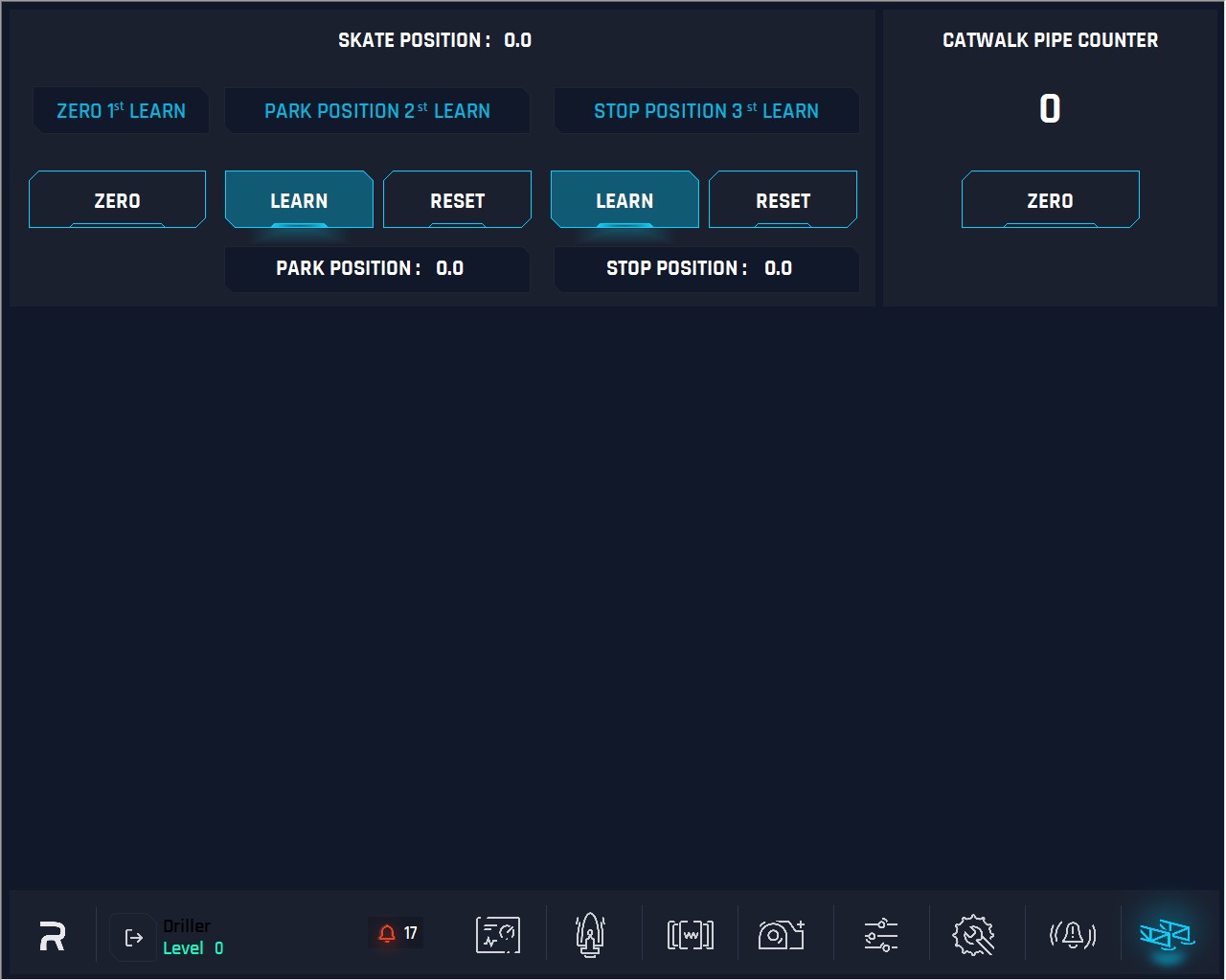
1. Skate Home Position
Zero (1st learn)
The Zero is for operations to set as the Skate has been returned to its maximum pull back position (home).
Click on Zero button will set to zero or Home
Park Position (2nd learn)
The operator should move the skate to the desired position on the catwalk.
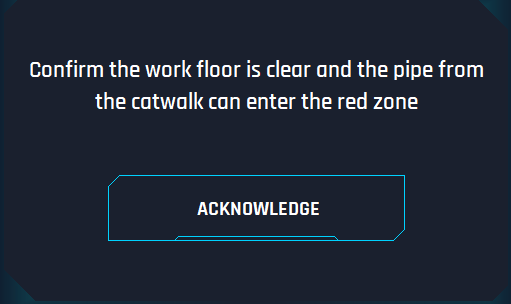
After “Learn” button is pressed, this will be set as the park position. Once the skate arrives at this position it will stop, and the catwalk operator’s control will be the equivalent as disabled to push the skate farther ahead. When the skate arrives at this position, a small pop-up will appear on the driller’s/operator’s screen.
There will be a message with an acknowledgement button.
The message: “Confirm the work floor is clear and the pipe from the catwalk can enter the red zone” will stay on the screen until acknowledged, which then catwalk operator controls will be enabled, and he can move the pipe forward. Or the catwalk operator moves the skate back from this position and the message will disappear.
Click on Reset button removes any restrictions on moving the skate in a forward direction until the Learn button is pressed again.
Stop Position (3rd learn)
The catwalk operator moves the skate to the correct position.
Click on Learn button the new position is set for the skate position to learn new position. The reset option removes any restrictions on moving the skate in a forward direction until the Learn button is pressed again.
2. Catwalk Pipe Counter
A counter for the pipes that are being pushed to the rig floor. This is based on breaking the infrared beam at the base of the V-door and based on the direction of the skate it is counting or down.
3. Catwalk Pipe Tally
Work in conjunction with the pipe counter.